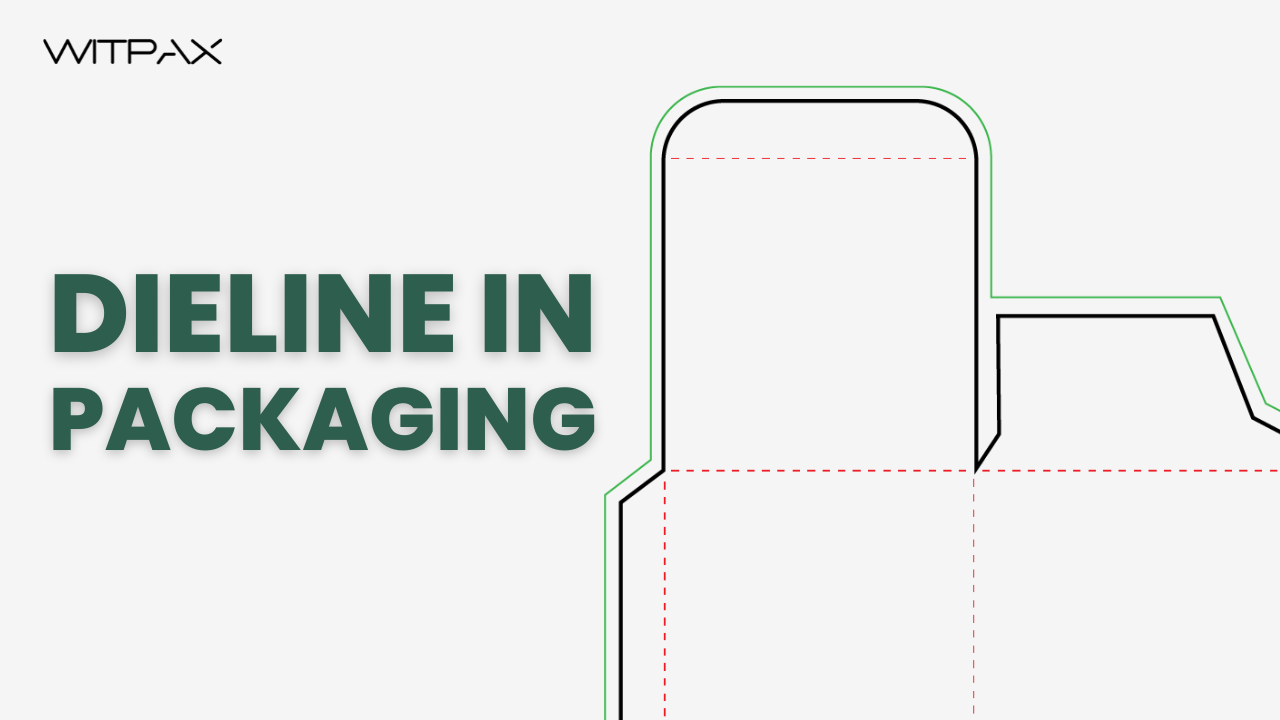
When designing packaging, some things are noteworthy to consider, like the measurements, logos, fold marks, cut marks, and bleed space. These items are sketched out on the flat copy of the box in advance before production. This way, you can easily see every panel and get an idea of how the complete piece will look.
When it comes to die-cutting and packing, dielines are crucial. It serves as the foundation for packaging to guarantee that components are positioned correctly in the finished printed product.
A dieline acts as guidance for designers and producers for the structure of the product. It is a template created by designers using design software. It makes sure that the actual folds and cuts match the printed designs.
Dieline artists can create almost any shape or size, be it a simple folding carton or a more intricate package with peculiar contours. It is through the meticulous planning that once assembled, the box not only remains structurally sound but also has an attractive, fine-looking appearance.
What Is A Dieline?
A dieline is a template for the design that indicates the proper layout of an end product. It indicates where the material should be cut and folded. Thereby, it ensures that the final product’s structure is precisely designed.
Dielines and die cuts are closely linked to each other in printing and packaging. Basically, a dieline is a blueprint used to make the die for die-cutting.
Imagine the dieline to be the digital design on a flattened package that is necessary for the die-cutting procedure. The die-cutting process can change a flat sheet of paperboard into a three-dimensional folded package corresponding to the outline of die.
Why Are Dielines Important?
Dielines are important because of the below mentioned reasons:
- Accurate Package Sizing: Dielines establish the precise dimensions and shape of every panel and flap of the package. Consequently, the finished packaging fits the product perfectly.
- Make the Right Positioning of Design Elements: Dielines ensure the right placement of all the visual elements like logos, text, graphics, barcodes, and images.
- Guide the Cutting and Folding: Dielines with precise marking of cutlines, folds, eye marks, glue tabs, and perforations on separate layers are crucial to direct the cutting tool.
- Avoid Production Mistakes: Dieline also contains manufacturing comments, bleeding information, and safe areas to help avoid production mistakes.
- Offer a 3D Visual Guide: Designers and Clients can visually see the end product prior to the mass production to prevent rework.
What can happen if you don’t use a proper dieline?
Inappropriate dielines can compromise the quality and functionality of the entire product. Here is what can happen:
Unprofessional Appearance:
If your material gets poorly cut with jagged edges, the final packaged product will not look professional. This can hurt the reputation of the brand.
Higher Costs:
Incorrect folding or incorrect alignment of cuts lead to wastage of material. The rework and reprint mean higher costs of production.
Communication Problems:
In the absence of a correct dieline, there is still a communications gap between the manufacturer and designer. Inadequate guidelines result in production delays and hassle in approvals
How to Read Dielines?
To ready dielines, go through the rules regarding specific terminologies, colors, styles, and labeling. Depending on the printer and software being used, these details can vary. But the basic concept is the same throughout the industry.
For example, Red (color) solid lines (style) show the precise locations where the die will cut through the material to remove portions or make holes. Dielines also have terminologies such as slots for tabs and windows for product visibility.
What are the symbols of the dieline?
Symbols of the die line allow the printer to direct actions for the die-cutting machine. The common symbols of the dieline are listed below:
- Color: Color codes represent different actions. Also, they are not 100% standardized. For example, red for cut lines and green for perforation.
- Bleed and Safety Zones: These are elements on the dielines to save the key graphic design from cutting out during printing. The bleed area is sketched beyond the cut line spacing.
- Cut Lines: They show exactly where the packaging will be cut during the die-cutting process. Cut lines also indicate the final size of the packaged product after the trim.
- Crease or Fold Lines: Crease lines indicate where the package will be creased or folded in order to form the desired 3D shape.
- Perforation Lines: The dashed lines are actually the perforation lines. They are for creating tear-off designs to access or to secure the product.
- Glue Tabs: These are the sealing tabs that instruct where the adhesive should be applied. They are shown as cross-tab tables.
What do the different colors on a dieline indicate?
The colors on the dieline guide the printer on what to cut and what to fold. They are only for the printer and do not appear on the final packaging.
Different colors have different meanings as shown in the table below:
| Color | Typical Meaning | Description |
| Red | Cut Line (die cut) | Shows where packaging will be cut |
| Blue | Fold Line (crease/score) | Shows where the material will be folded |
| Green | Perforation (perf) | Indicates tear or perforation lines |
| Magenta | Bleed Area | Marks where artwork should extend past the cut line |
| Black | Safe Zone/Text/Artwork Area | Indicates safe zones/art boundaries for printing |
| Orange/Purple | Glue Area/Notes | Shows glue flaps or important assembly instructions |
It is to be noted that colors are not universal. Different manufacturers/printers can use slightly different color conventions.
How to Create Dielines?
Dielines are created on design tools by the designers who understand the software and technical requirements.
Have a look at the given seven steps to create a high-quality dieline with no error.
- Take Measurements: First, take your product’s measurements and determine the package shape. Take into account product fit, size, and any special features.
- Lay Out the Shape: On design software such as Adobe Illustrator, draw the approximate shape of your package. Use very accurate lines and corners.
- Add Cut and Fold Lines: Apply distinct line types to cut lines (solid), fold lines (dashed), and perforations (dotted). All lines must be easily identifiable for the printer.
- Mark Special Features: Identify glue tab areas, windows, handles, or other special openings. Put these items on individual layers if your program makes it possible.
- Set Safety Zones and Bleeds: Designate bleed areas that overlap final cuts and label internal safety margins so the essential artwork does not cut off.
- Label and Comment: Label each line, tab, and zone clearly. Add useful printer notes like layer names and color codes.
- Export Your Dieline: Export your file in a standard industry format, that is, PDF, AI, or EPS. Double-check that everything exactly matches your printer’s specifications.
And that’s how you create a professional dieline.
What tools or software are best for making dielines?
The ideal software to create dielines in our opinion is Adobe Illustrator, Adobe Design, and CAD. Always set the document colour mode to CMYK for standard printing.
What are AI dieline generators?
AI dieline generator is an online software tool to create printable dielines in seconds without technical skills. The tool lets you create custom templates with real-time 3D mockups.
The most common dieline generator sites are listed below:
- TemplateMaker.nl
- DieCutTemplates.com
- Packly
- Newprint’s Dieline Generator
- Pacdora
- Custom Box Makers
What is a dieline template?
A dieline template is constructed as a vector layout. It assists in the cutting, folding, and perforation of packaging material. It plays a pivotal role in packaging and printing to precisely align the graphics on the end product. Templates or prototypes for boxes, labels, and folders are edit-friendly
You can find dieline templates online or use specialized software for generating them. Most tools offer vector or layered PDF files for editing.
Where to download free dieline templates
Free dieline templates refer to premade digital layouts that serve as blueprints for designing and manufacturing. T The templates can be downloaded as editable vector files in PDF, PSD, AI, or SVG format.
And here is the list of well-known sites to download free dieline templates.
- Unblast: It has a set of free dieline templates for various types of packages, such as folders and envelopes.
- Freepik: This one is a great resource for high-quality vector graphics, usually containing box outlines. They are fit for commercial use.
- Behance/Dribbble: Some designers share their creations on these platforms as freebies. You can find dieline projects with mockups and editable designs here.
FAQ
What do bleed and safety zones mean on a dieline?
Bleed and safety zones are the core elements marked on the dieline. Both ensure the key graphics are not trimmed off in the end product.
- Safety Zone: It is the margin line that marks the safe zone for the graphic elements. The design elements are placed within the safety lines so they remain intact during trimming.
Bleed Area: The bleed area is marked outside the cut line as the additional printing area. It is printed but later trimmed off. These bleed lines do not let the important elements from getting cut. The correct marking avoids unwanted white borders in the final product.